Vilocify Portal Emails FAQ
Why am I receiving emails from Vilocify?
There are a number of reasons for which our service sends emails to our customers, e.g.:
- When a monitoring list is created
- When users or components assigned to a monitoring list are modified
- When Vilocify publishes new notifications affecting components in your monitoring lists. Please be aware that even if you never actively created a monitoring list within Vilocify Portal yourself, you still might be receiving mails from us. This might be the case when somebody else created a monitoring list adding you as a subscriber.
How can I unsubscribe from Vilocify Notification emails?
You can modify the subscriber settings in the monitoring list tab of the Vilocify Portal. See Managing Monitoring Lists#ModifySubscribers for more details. If you are only a reader of the monitoring list, please ask an owner of the list to modify the settings for you.
How do I ensure that emails from Vilocify are not marked as spam?
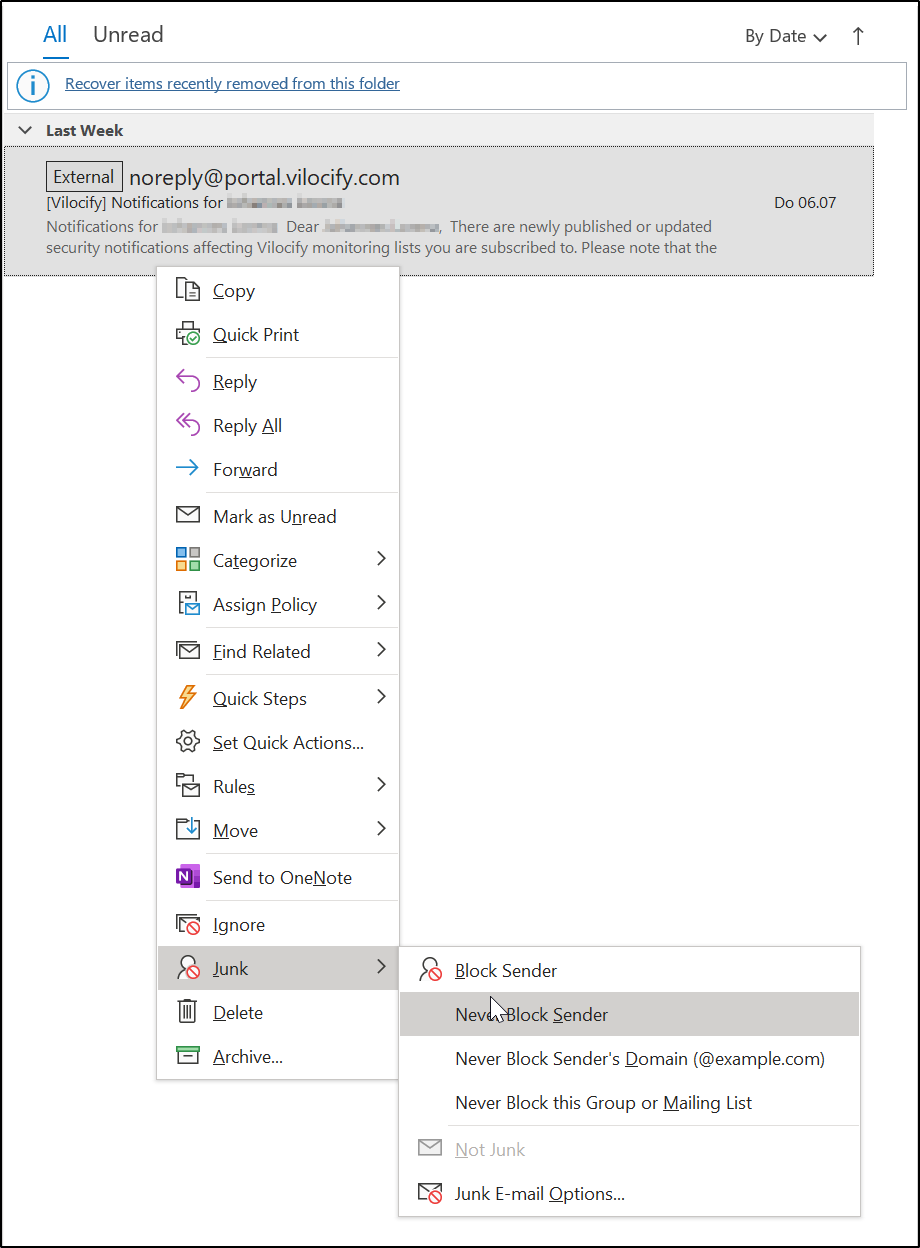
While we are not aware of any instances where emails sent from our systems are marked as spam, we do recommend explicitly whitelisting our address svm.ct@siemens.com in your email client. In Outlook, right-click on an email sent from our system, go to Junk, then select the option Never Block Sender (see screenshot).
Why do I not receive emails for notifications of all transitive child components?
The notifications for monitoring lists are only sent by email for the list itself and one level of child lists - i.e. notifications for "grandchildren" lists are not sent through email. This limits the load of emails, so the receivers can still process them and the service is still able to send these emails. In the portal you can show all transitive notifications with filtering by "Affecting monitoring lists".